
Skip to content

Technical Paradise

Where Tech Isn't So Technical…

Menu
  • Michael Molenda’s Resume
  • What I Use
Menu

Retrospect: My Journey Learning Active Directory

Posted on April 5, 2021May 29, 2021 by Michael Molenda

What is this blog post about?

It is about my journey to learn Active Directory as much as I could on a non-domain network. I began this journey last year. I understand the importance of Active Directory in the domain and felt that I am best served to learn it on my own. That is what I set out to do.

What is Active Directory?

Before going into my journey. I want to explain in my experience what Active Directory is…. It is a tool developed by Microsoft to centrally manage users and devices on a domain. In my journey, I focused on user management. Users and devices can be organized into Organization Units and Groups. Organizational Units are used to group company assets into a single entity. Each OU can have policies assigned to them via Group Policy Objects (GPO) for each group of assets. Groups are usually organized by company hierarchy but you groups cannot be used to assign permissions. OU could be Administrators, Permanent Users, Temporary Users, Guests, etc. Each of these OU would have different policies assigned to them based on their OU. However, within Administrators, there could be users from different departments in the company. Efficient design of the Active Directory will make administration much easier.

What did I do to learn Active Directory?

I used tutorials from around the internet including YouTube. There are many valuable videos on YouTube on Active Directory including Microsoft, themselves. I used articles, blogs, and YouTube videos to learn how to install, configure, and utilize Active Directory for user management.

What was my journey?

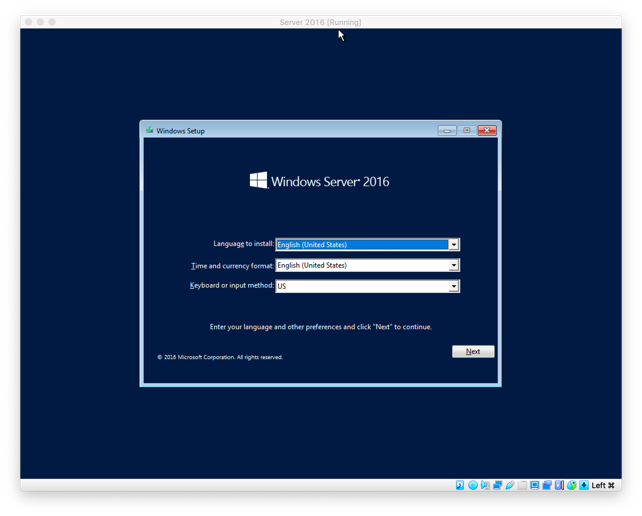
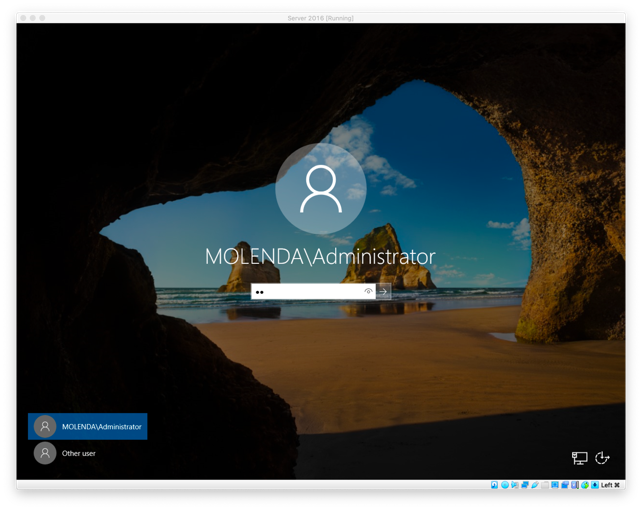
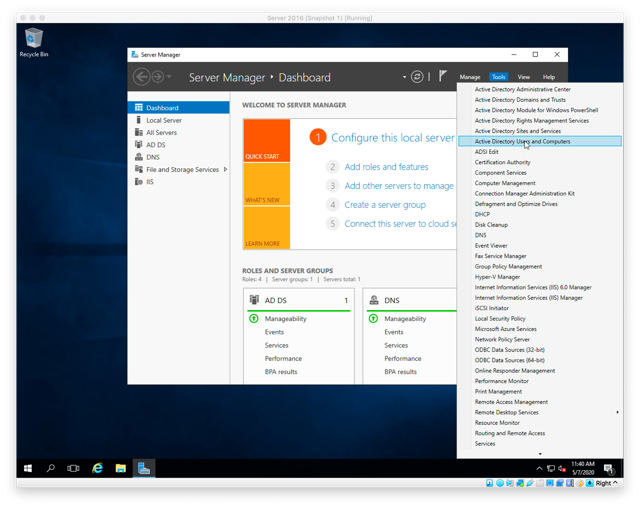
I covered my journey in three parts: Installing Windows 2016 in a Virtual Machine (in this case, Virtual Box), Promoting the server to a Domain Controller (includes installation of the Active Directory services), and User Management.
VB_Server2016_115-2020-05-5-14-05-full-2021-04-5-11-56.png
Part I: Installing Windows Server 2016 In Virtualbox (on an iMac)
VB_Server2016_152-2020-05-12-13-22-2021-04-5-11-56.png

Part II: Promoting a Windows Server 2016 to a Domain Server
AD_Server2016_AddUser_100-2020-05-13-10-09-2021-04-5-11-56.png

Part III: Managing Active Directory Users

Recent Posts

  • Installing a Contact Frame
  • My Brief Home/Work Setup
  • Office Tour 2026 [u]
  • My New Home/Work Setup
  • My New Desk Setup

Recent Comments

    Archives

    • June 2026
    • May 2026
    • April 2025
    • July 2024
    • April 2024
    • March 2024
    • February 2024
    • November 2023
    • July 2023
    • June 2023
    • May 2023
    • April 2023
    • March 2023
    • February 2023
    • October 2022
    • September 2022
    • August 2022
    • June 2022
    • May 2022
    • September 2021
    • April 2021
    • March 2021
    • February 2021
    • January 2021
    • December 2020
    • November 2020
    • October 2020
    • September 2020
    • July 2020
    • June 2020
    • May 2020
    • March 2020
    • February 2020
    • September 2019
    • August 2019
    • July 2019
    • March 2019
    • October 2018
    • September 2018
    • August 2018

    Categories

    • 5G
    • Active Directory
    • AMD
    • AMD Radeon GPU
    • AMD Ryzen
    • Apple
    • Apple Silicon
    • Bio
    • CPU
    • Custom Build
    • Dell
    • Desktop Repair
    • Fry's
    • Fry's Builds
    • Gaming
    • Graphics Cards
    • HP
    • Intel
    • iOS/iPadOS
    • Laptop PC
    • Laptop Repair
    • Learning Series
    • Lenovo
    • macOS
    • MSi
    • My Build
    • nVidia
    • Office Setup
    • PC Parts
    • Personal Computer History
    • Ramble
    • Rant
    • Review
    • Switching to Apple Silicon
    • Threadripper
    • Toshiba
    • Unboxing
    • Virtual Machines
    • Windows 10
    • Windows 11
    • Windows Server 2016

    Meta

    • Log in
    • Entries feed
    • Comments feed
    • WordPress.org
    © 2026 Technical Paradise | Powered by Minimalist Blog WordPress Theme