Skip to content

Technical Paradise

Where Tech Isn't So Technical…

Menu
  • Michael Molenda’s Resume
  • What I Use
Menu

My Personal Build

Posted on March 15, 2019July 3, 2023 by Michael Molenda

Why did I build a PC when I am a Mac Guy?

So, one can only build PC’s for others, well customers, for so long before you want one for yourself. That being said, this is partially an entry-level gaming system and also a system for me to reacquaint myself with VB and VBA and maybe something I haven’t done…

What is in your build, Mr. Mac Guy?

I used the following parts in my build:

  • Case: Raidmax Neon Case
  • Motherboard: MSi B450M mATX
  • APU/CPU: AMD Ryzen 2400G with AMD Vega 11 integrated GPU
  • RAM: 8GB Patriot Viper 3000MHz DDR4
  • PSU: Corsair VS650W
  • SSD: aData SU800 128GB
  • HDD: WD Blue 1TB 7200RPM
  • Various other visually pleasing parts….

Well, can we see your build?

Yes, you can.
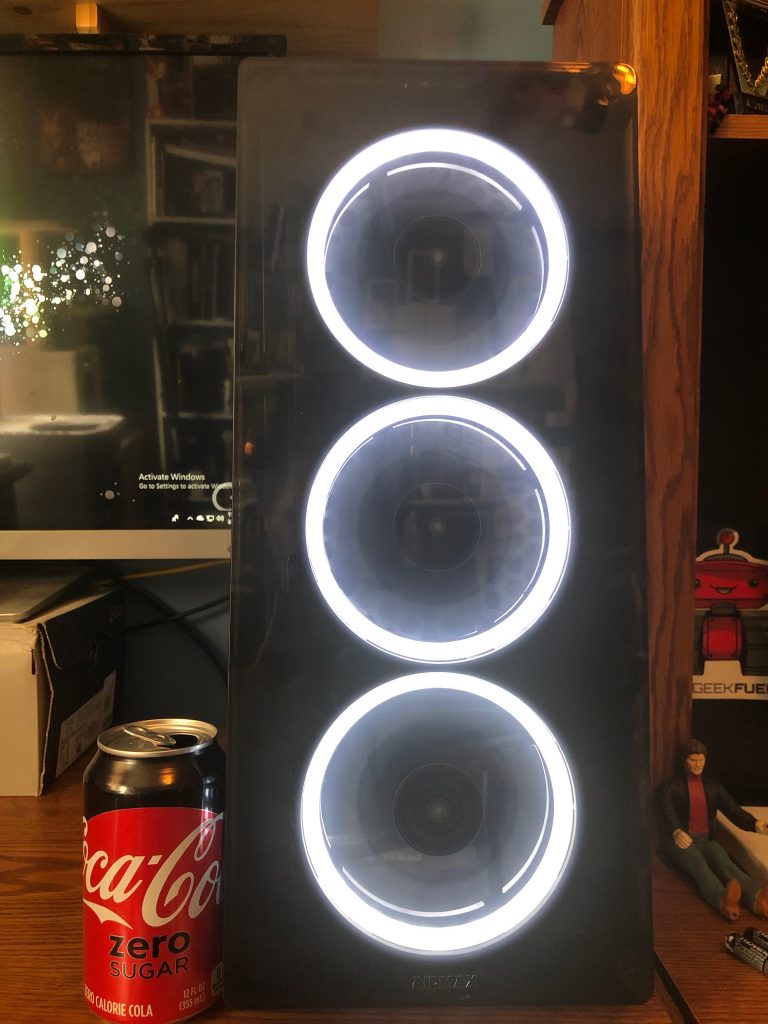
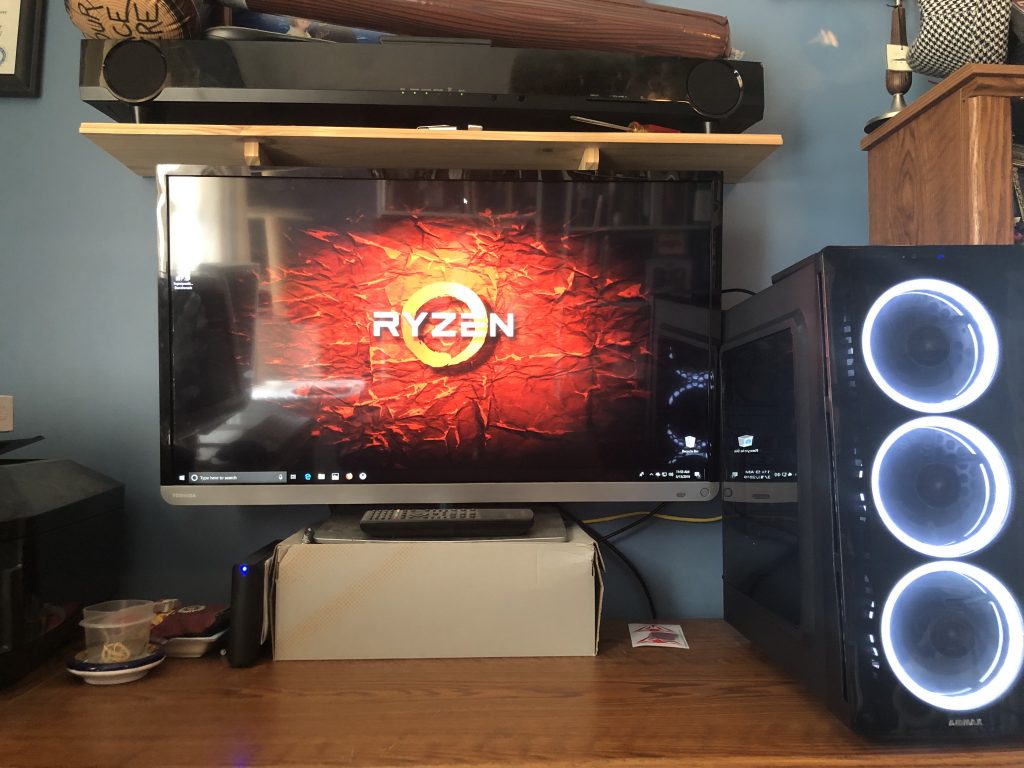
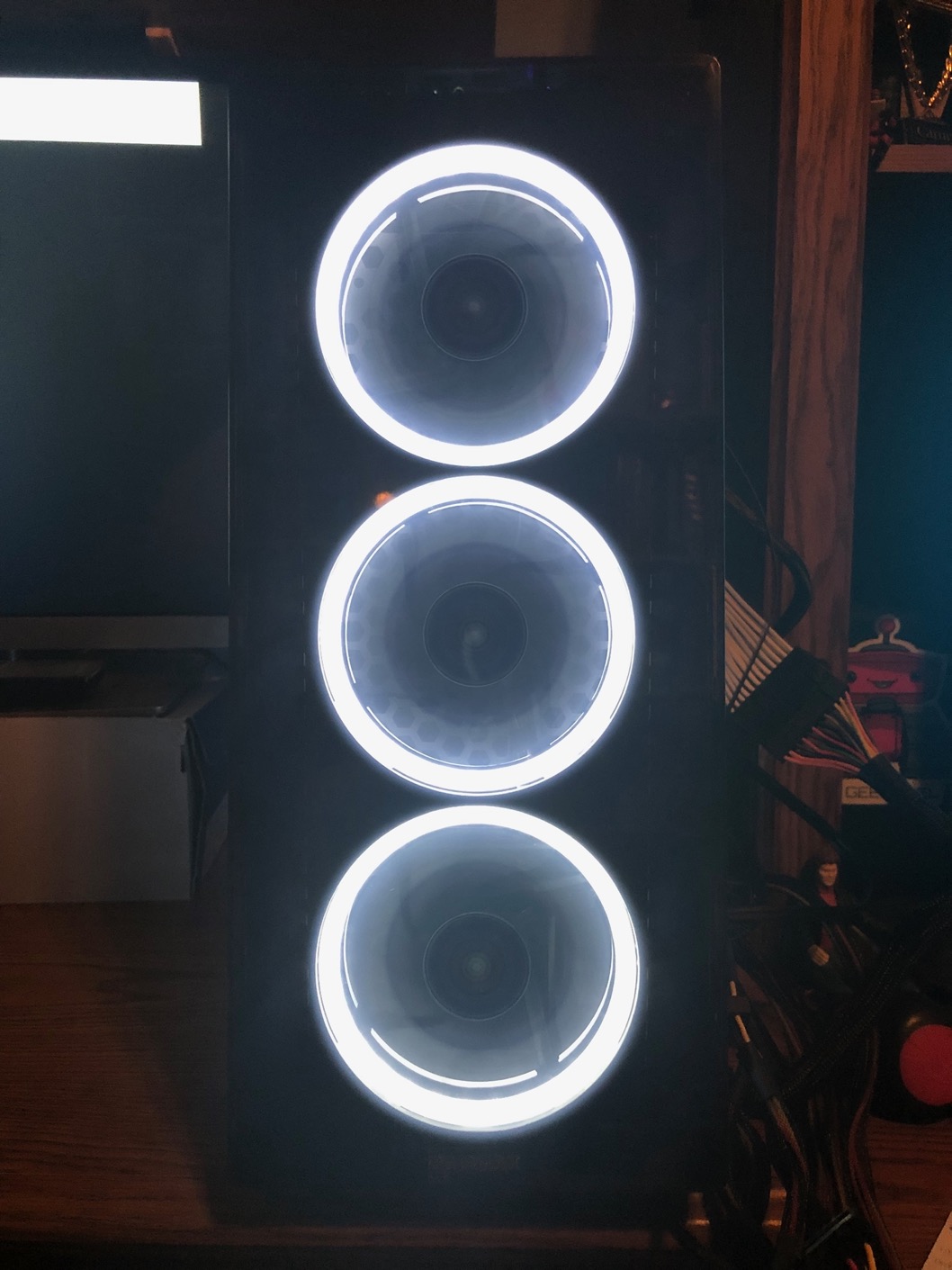
Here is my case next to my soda can… It kinda cracks me up that when I removed the plastic over the “Raidmax” at the bottom of the case, the R came off with it. So now it says “aidmax”
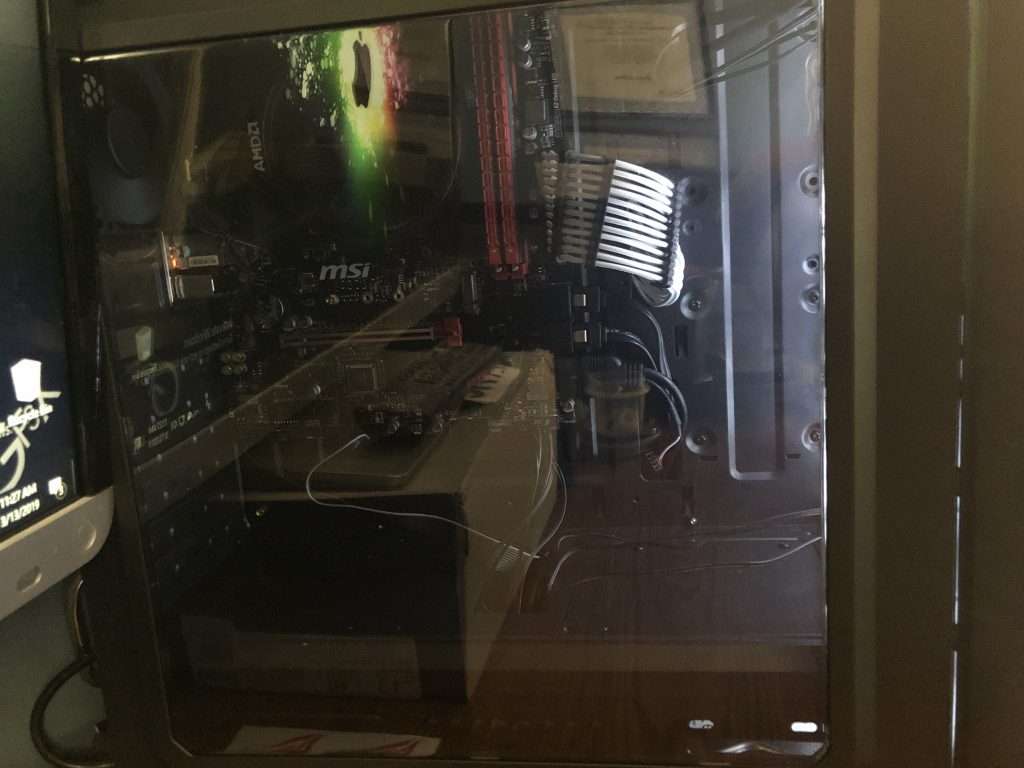
A very reflective view into the clear side panel. This case does not feature RGB, but LED. I thought I could choose the color but haven’t figure out how… This case also features acrylic instead of tempered glass…
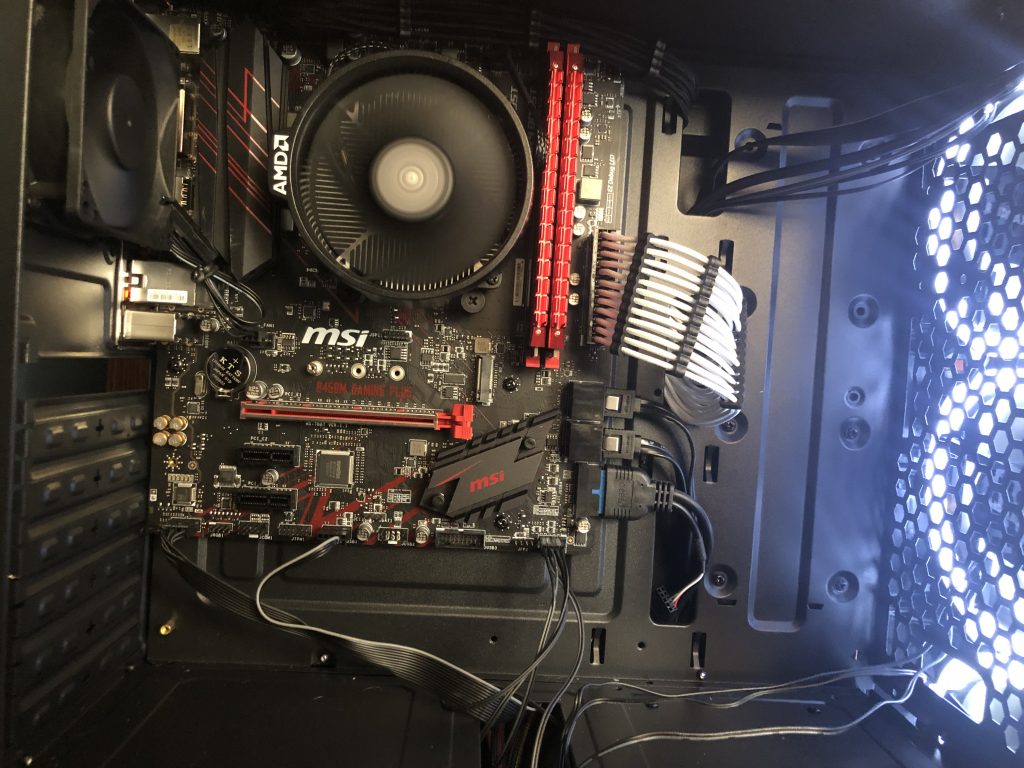
I wanted to use the braided cables for the main 24-pin power and 8-pin CPU power. I wanted all white to contrast with the darker components, but the motherboard butts up against the top of the case (unlike most other cases…) so the 8-pin cable has to run across the top of the motherboard and to the PSU. I am glad I had to get black to blend in here…
The Ryzen 2400G can game at 720 and 900p reasonably well, at least that’s what the generic benchmarks tell me. I have OC the CPU but not the GPU yet. I can get more performance from the GPU especially if I were to water-cool it or even a tower air cooler over the stock cooler… I am not getting a dedicated GPU just yet…
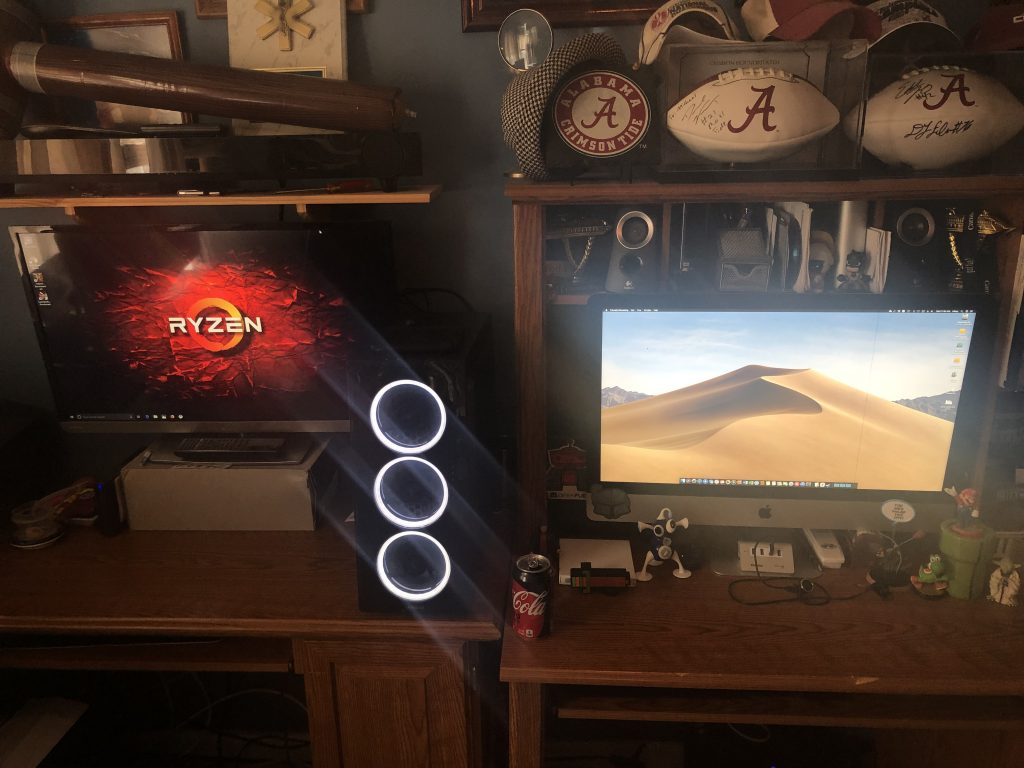
Here is my iMac and my PC side by side. Mac and PC living in harmony right next to each other. I am not switching to the PC (Windows) platform from the Mac (macOS) platform, but I am going to be a bit of both, but I am much more productive on macOS and that’s where I will do most of my serious work like video editing (whenever I get around to shooting my first YouTube video) and photo editing. The PC is for development and for gaming.

So, how much did it cost? Building PC’s can be expensive, right?

This build is a budget build. I won’t say how much I actually spent, but it is under 500 bucks for this build. The only part I didn’t buy specifically for this build was the SSD because I already had it laying around. Even if I didn’t and I had to buy one, I am sure that it would still be around the 500 mark. I did not include the price of Windows, which can be had for around 100 bucks. Windows 10 can be installed and function properly even without activation, but you lose the ability to do any personalizations to the OS AND the constant watermark on the bottom right-hand corner of the screen. UGH!

Yes, custom built PC’s can be expensive but they can be affordable and budget but not lack any sort of performance.

Any final thoughts?

I am proud of this build. I am happy that I can get decent performance out the machine and on a budget.

Here are some generic benchmark scores for this particular build:

  • Cinebench R15 CPU: 845cb\
  • Cinebench R15 OpenGL: 65.98
  • Geekbench 4 Single-Core Score: 4310
  • Geekbench 4 Multi-Core Score: 13285
  • Heaven Benchmark Score (1600 x 900 at Medium settings): 1117
  • Heaven Benchmark Avg FPS (1600 x 900 at Medium settings): 44.3

Recent Posts

  • Installing a Contact Frame
  • My Brief Home/Work Setup
  • Office Tour 2026 [u]
  • My New Home/Work Setup
  • My New Desk Setup

Recent Comments

    Archives

    • June 2026
    • May 2026
    • April 2025
    • July 2024
    • April 2024
    • March 2024
    • February 2024
    • November 2023
    • July 2023
    • June 2023
    • May 2023
    • April 2023
    • March 2023
    • February 2023
    • October 2022
    • September 2022
    • August 2022
    • June 2022
    • May 2022
    • September 2021
    • April 2021
    • March 2021
    • February 2021
    • January 2021
    • December 2020
    • November 2020
    • October 2020
    • September 2020
    • July 2020
    • June 2020
    • May 2020
    • March 2020
    • February 2020
    • September 2019
    • August 2019
    • July 2019
    • March 2019
    • October 2018
    • September 2018
    • August 2018

    Categories

    • 5G
    • Active Directory
    • AMD
    • AMD Radeon GPU
    • AMD Ryzen
    • Apple
    • Apple Silicon
    • Bio
    • CPU
    • Custom Build
    • Dell
    • Desktop Repair
    • Fry's
    • Fry's Builds
    • Gaming
    • Graphics Cards
    • HP
    • Intel
    • iOS/iPadOS
    • Laptop PC
    • Laptop Repair
    • Learning Series
    • Lenovo
    • macOS
    • MSi
    • My Build
    • nVidia
    • Office Setup
    • PC Parts
    • Personal Computer History
    • Ramble
    • Rant
    • Review
    • Switching to Apple Silicon
    • Threadripper
    • Toshiba
    • Unboxing
    • Virtual Machines
    • Windows 10
    • Windows 11
    • Windows Server 2016

    Meta

    • Log in
    • Entries feed
    • Comments feed
    • WordPress.org
    © 2026 Technical Paradise | Powered by Minimalist Blog WordPress Theme